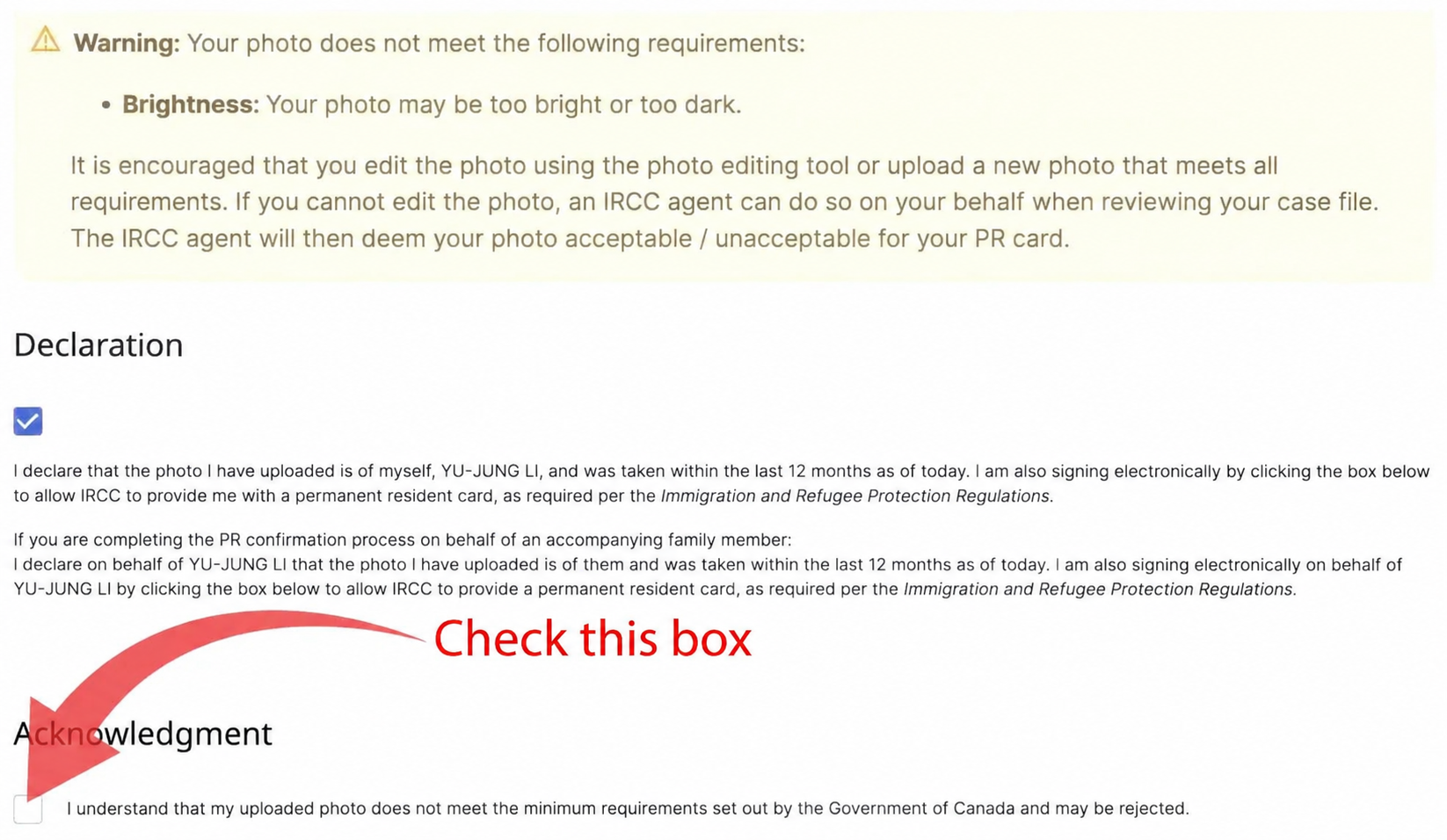
What should you do if your PR photo upload displays "Your photo may be too bright or too dark"?
1. First, make sure the photo is scaled correctly
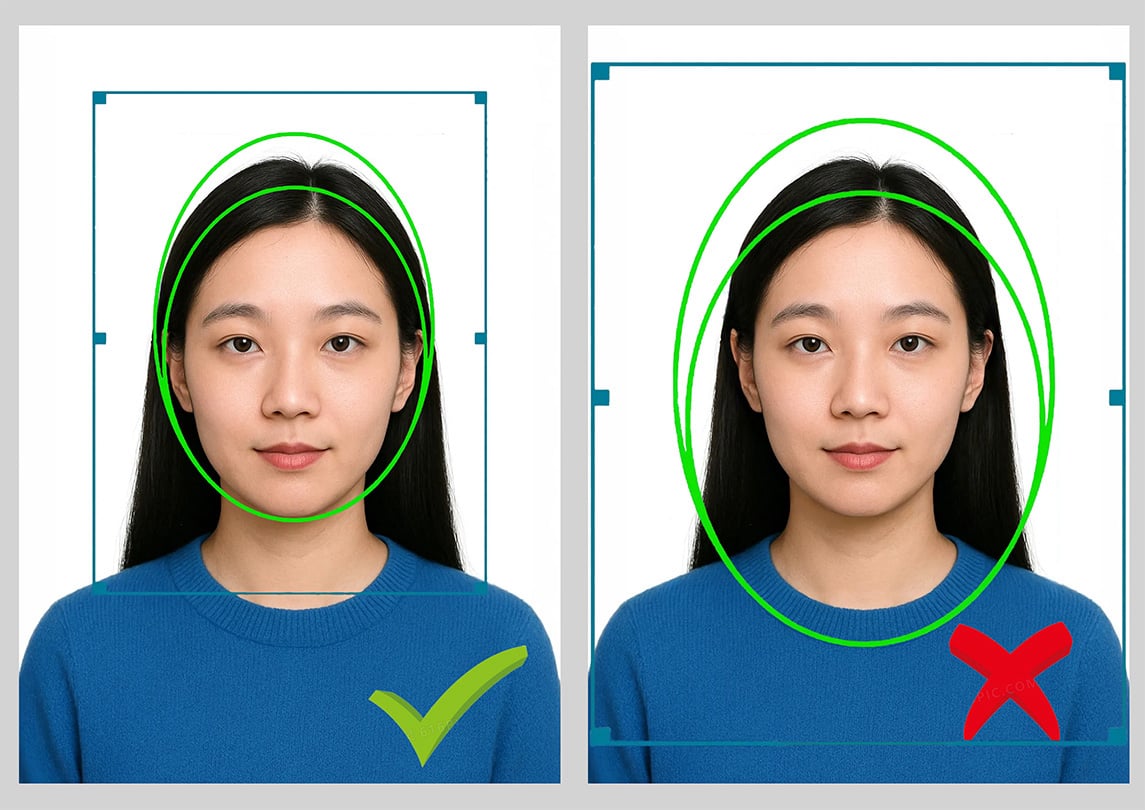
You can adjust the photo's scale during the upload process. Reduce the size of the green frame so that your chin lines up with the bottom of the green oval and the top of your head falls in the gap between the two ovals. Incorrect scaling can easily trigger the "too bright or too dark" warning. Please refer to the illustration below:
2. If the "too bright or too dark" warning still appears after you have followed the steps above, you can disregard it and continue by selecting the checkbox below: "I understand that my uploaded photo does not meet the minimum requirements set out by the Government of Canada and may be rejected."
The main reason for this warning is a limitation in the website's photo upload system: it calculates the average brightness of the entire image rather than the brightness of the face. Even a compliant photo may trigger the "too dark or too bright" warning if dark areas take up a large part of the image, particularly when the applicant has long dark hair and wears dark clothing.
The brightness of the ID photos taken at our studio is properly controlled; this warning is a system detection issue. Uploaded photos are subsequently reviewed by a person, and our photos will pass that review. Do not rush to adjust the brightness yourself simply because this warning appears. Making an otherwise correctly exposed face too bright or too dark could instead cause the photo to be rejected during manual review and require a retake.